
You have a bot running on Bot-Hosting and the code for it on your computer. Every change so far meant either zipping the folder and uploading it, or editing files one by one in the browser. Both work, neither feels like real development.
The Bot-Hosting CLI closes that gap. You keep your editor, your extensions, your git history. The CLI keeps a folder on your machine linked to a deployment, and pushes what changed:
bh deploy --watchSave a file, it lands on the deployment, the bot restarts. That is the whole idea. If you have used vercel or railway up, you already know how it feels: same commands, same habits.
This guide sets it up from scratch, then explains what the CLI does and, just as important, what it never does.
What it is, and what it is not
The CLI deploys one way: from your folder to the deployment. It uploads the files whose content changed, removes the files you deleted, and restarts. It never watches the server for changes, and it never deletes anything it did not put there itself.
That last rule matters for a bot. Your code lives next to files the bot writes at runtime: a JSON store, a SQLite database, logs. Those files exist only on the server. The CLI leaves them exactly where they are, on every deploy, forever. Local databases are even skipped by default, so a data.db sitting next to your code can never overwrite the live one.
It is not a live two-way sync. If you want a copy of the server files, you ask for it with bh pull, and it never runs on its own.
Before you start
You need three things:
- A Bot-Hosting.net account with a deployment. Any runtime works: Node.js, Python, Java, PHP, the CLI only moves files.
- Node.js 20 or newer on your computer, for the CLI itself.
- Your bot’s code in a folder. An existing project is fine; an empty folder is fine too, the CLI can download the deployment’s files into it.
Install the CLI once:
npm i -g bot-hostingThat gives you two commands, bot-hosting and the short bh, which this guide uses. Prefer not to install anything? npx bot-hosting <command> does the same, with a short delay the first time.
Step 1: create a key for the CLI
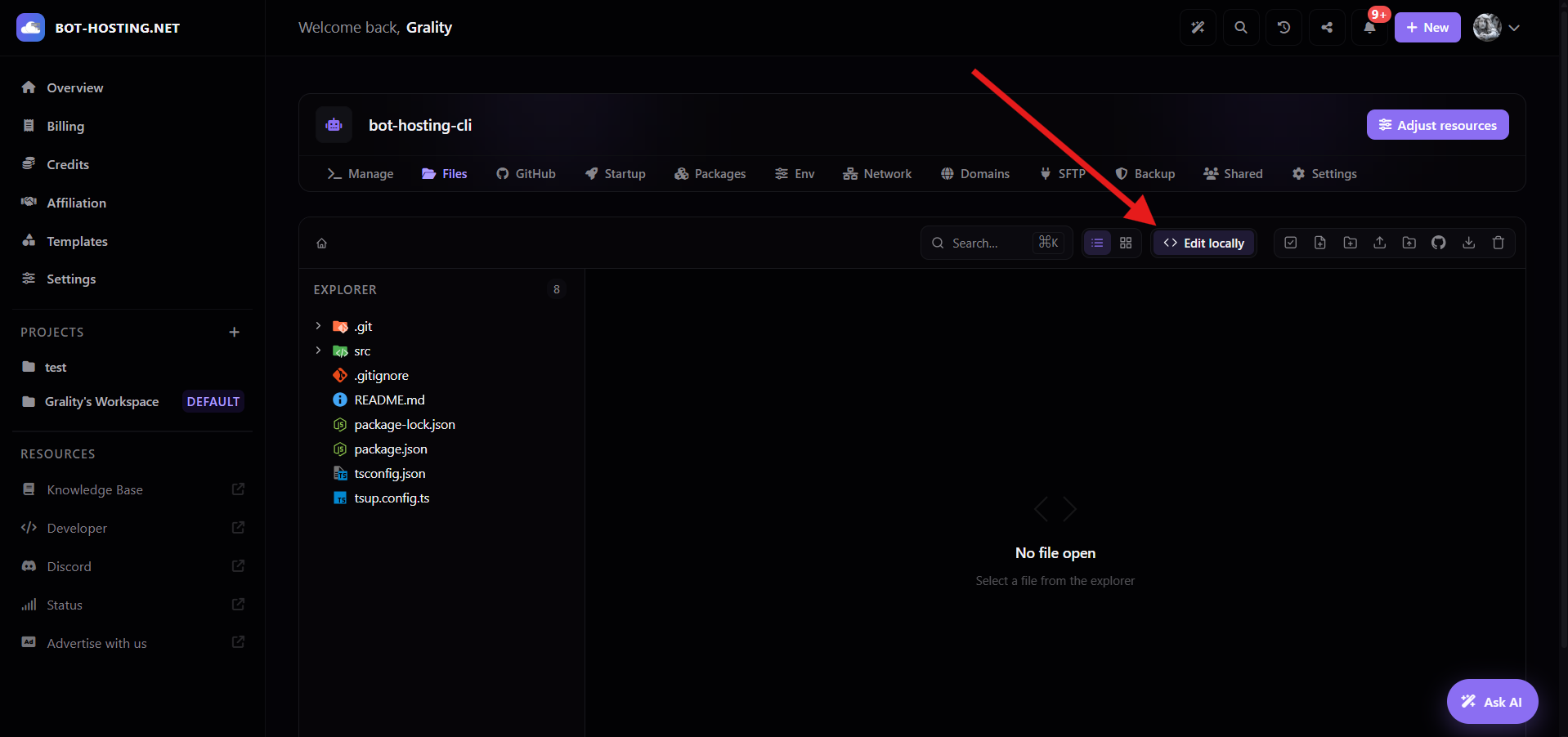
Open your deployment in the dashboard, go to the Files tab and click Open in IDE in the toolbar.
The guide that opens holds the three commands you are about to run. Under the first one, click Create a key for the CLI.
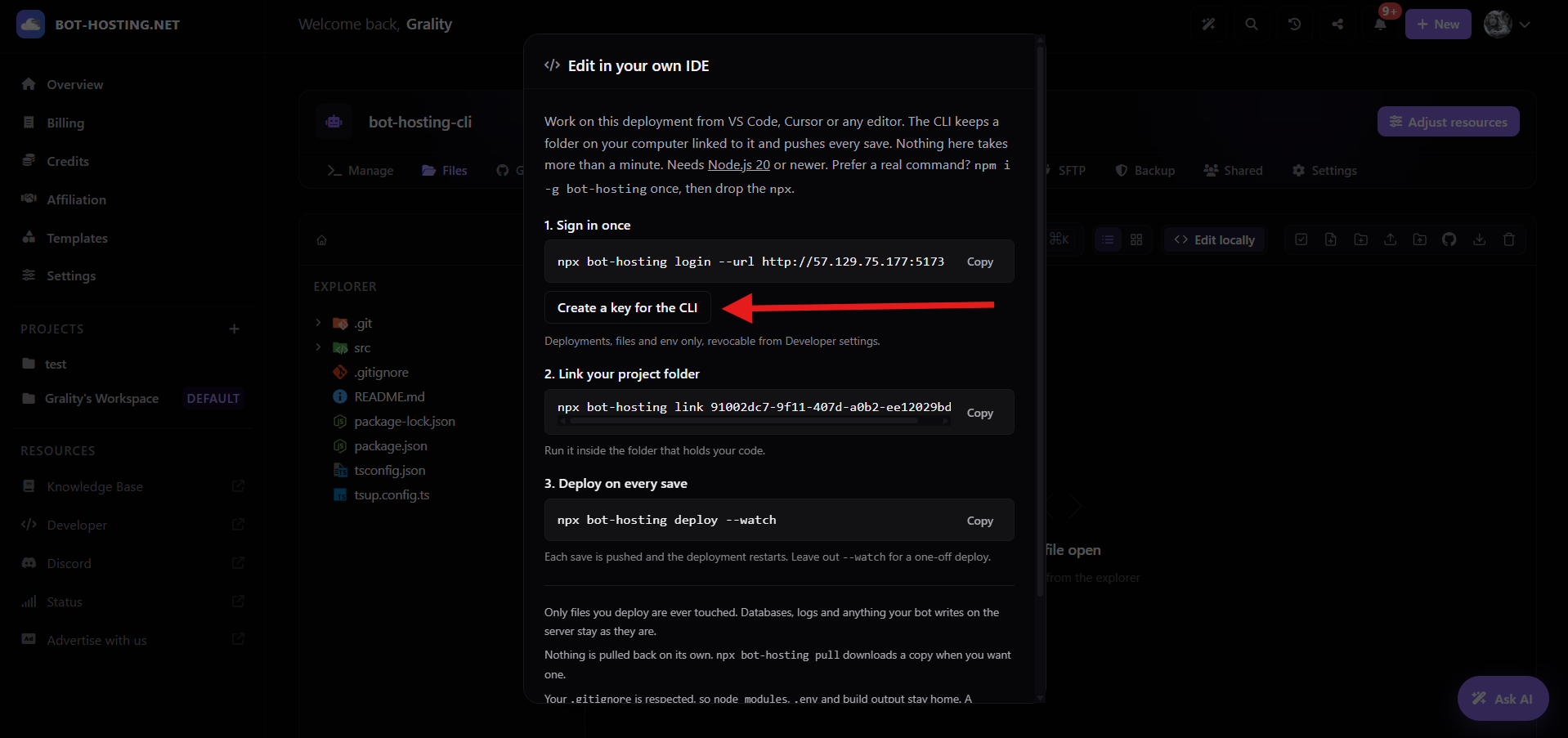
The key is shown once: copy it now. It is a regular API key, limited to what the CLI needs (files, environment variables, restart, reading your deployments), and you can revoke it any time from Developer settings.
Step 2: sign in
bh loginPaste the key when asked. The CLI checks it against your account and stores it in your home folder, readable by you only.
API key: bhk_************************************************
Signed in as Grality (https://bot-hosting.net)
Step 3: link your folder
Move into the folder that holds your bot’s code and link it:
cd my-bot
bh link
Without an id, the CLI lists your deployments and asks which one:
 1. music-bot         running   0708393e-51da-4411-92b1-325ed18467fc
 2. node-hello-app    offline   325b25e0-692c-4675-abd7-24e5449781b6
 3. moderation        running   cd43d32f-0d8d-4b0f-9837-0ba9ea0722ac
Link to which deployment? [1-3] 2
Linked my-bot to node-hello-app (325b25e0-692c-4675-abd7-24e5449781b6)
Next: `bot-hosting deploy` or `bot-hosting deploy --watch`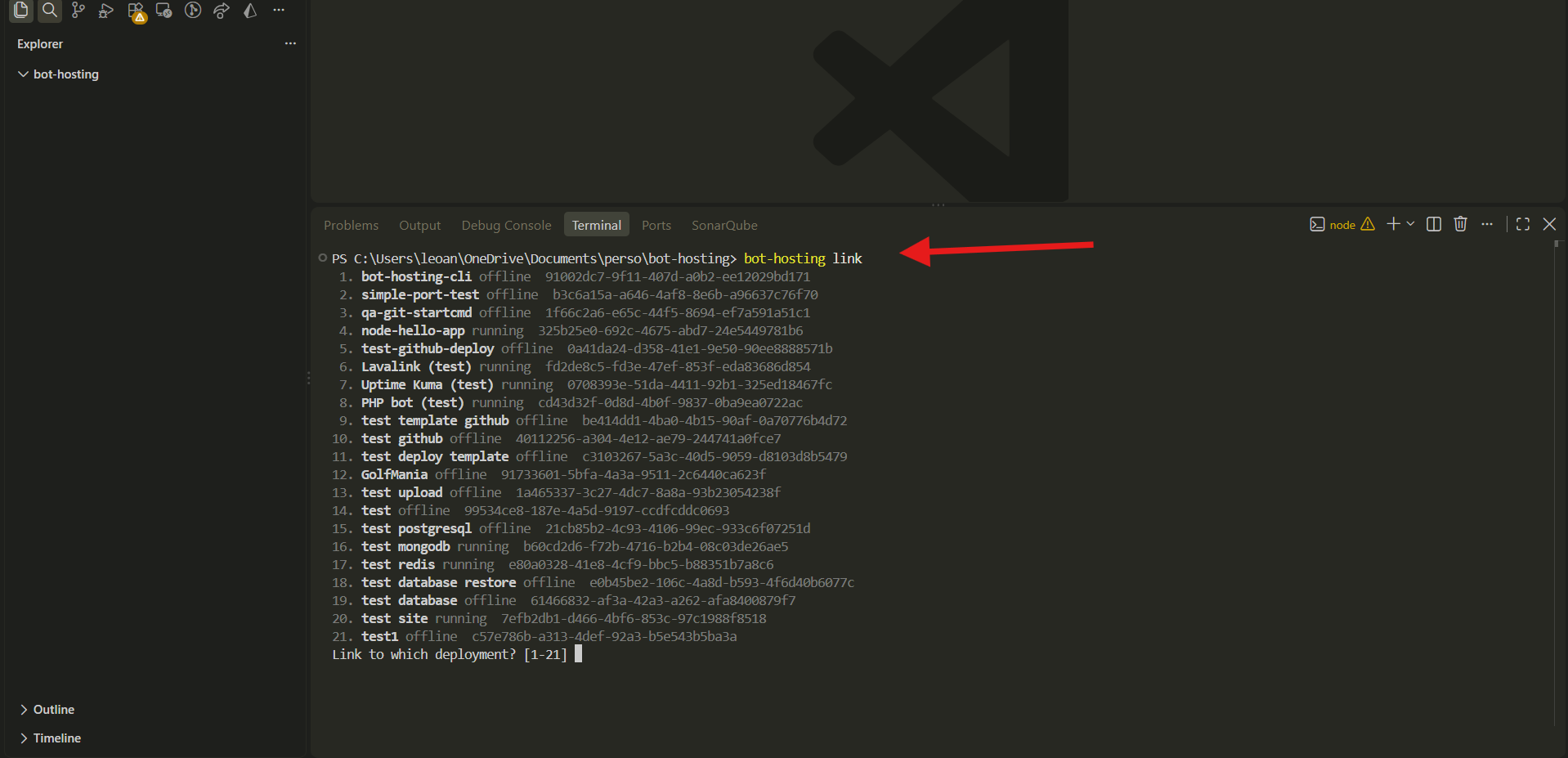
Linking writes a small .bothosting/ folder, already git-ignored, that remembers the deployment. Nothing is uploaded or downloaded at this point.
Starting from the server instead? Link an empty folder and the CLI offers to download the deployment’s files into it. You can also run bh pull yourself at any time.
This folder is empty. Download the deployment files into it? [Y/n] y
↓ index.js
↓ package.json
↓ README.md
Pulled 3 files.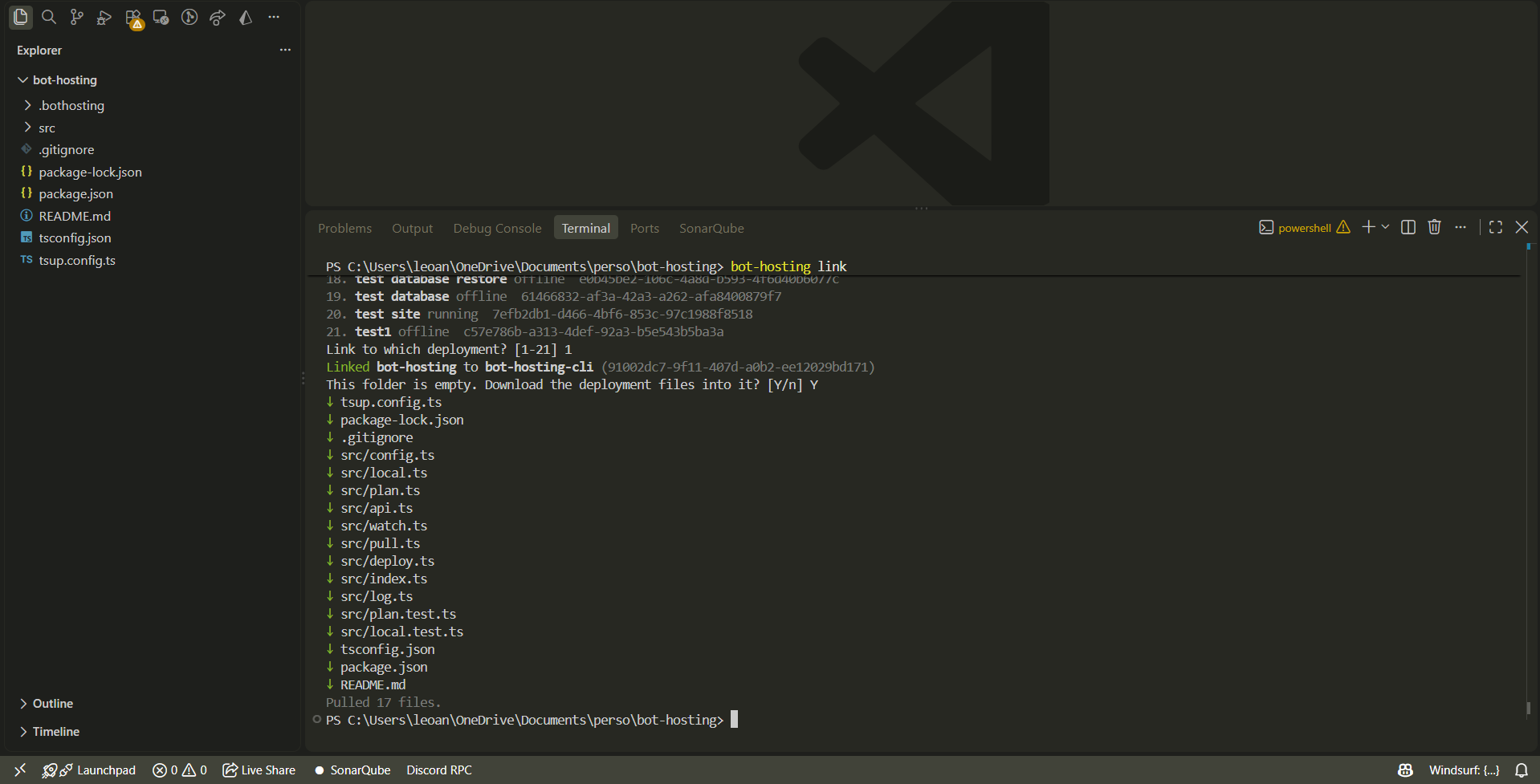
Step 4: deploy
Look before you leap. --dry-run shows what a deploy would do without doing it:
bh deploy --dry-run↑ index.js 389 B
↑ commands/ping.js 412 B
Dry run: 2 to upload (801 B), 0 to remove.Only two files: the CLI compared every local file with the deployment by content hash, and everything else already matches. If the list contains something that should stay home, add it to a .bothostingignore file (same syntax as .gitignore) and run the dry run again.
Then the real thing:
bh deploy↑ index.js 389 B
↑ commands/ping.js 412 B
Deployed 2 files (801 B), restartingThe deployment restarts with the new files. To watch it come back up:
bh logs -fPress Ctrl+C to stop following. bh logs -n 200 prints the last 200 lines without following.
Step 5: deploy on every save
This is the mode you will actually live in. Open your project in your editor, and in a terminal:
bh deploy --watchNothing to deploy, the deployment already matches this folder.
Watching for changes. Every save is deployed. Ctrl+C to stop.Now edit a file and save it:
↑ commands/ping.js 430 B
Deployed 1 file (430 B), restarting
Save three files in a row, and they leave together in one deploy. Delete a file, and it is removed from the deployment:
✕ commands/old.js
Deployed 0 files (0 B), removed 1, restarting
A restart on every save is right for a bot. For a site served straight from disk, or when you are saving every ten seconds and want to restart once at the end, use bh deploy --watch --no-restart and restart yourself with bh restart.
What gets deployed
Everything in the folder, except:
- what your
.gitignoreexcludes, the same rule as Vercel and Railway, sonode_modules,.envand build output stay home; .git, caches, editor folders;- local databases:
*.sqlite,*.db,*.rdb; - whatever you list in
.bothostingignore.
Later rules win. To deploy a folder your .gitignore excludes, say a compiled dist/, re-include it:
# .bothostingignore
!dist/
Dependencies never travel: the deployment installs its own node_modules from your package.json at startup, exactly as it does today.
The one rule about deleting
The CLI keeps a list of the files it has deployed or pulled. When you delete one of those locally, the next deploy removes it from the deployment. A file it has never handled is never touched. In practice:
| File | Deleted locally, then bh deploy |
|---|---|
commands/old.js, deployed by the CLI last week | Removed from the deployment |
data/users.json, written by the bot on the server | Left alone: the CLI never had it |
package.json, downloaded with bh pull | Removed: pulling it made it a shared file |
And bh pull never deletes anything on your machine. It restores files that are missing, leaves identical ones alone, and only replaces a file you changed locally when you pass --force:
bh pull
error 1 local file differs from the deployment (README.md). Run again with --force to replace them with the deployment version.
Environment variables from the terminal
Your variables live in the dashboard’s Env tab, and the CLI reaches them too:
bh env ls
bh env add TOKEN xxxxxxxx --secret
bh env rm OLD_FLAG
bh env pull
env pull writes a .env file from the deployment’s variables, leaving secret values for you to fill in. Changes apply on the next restart.
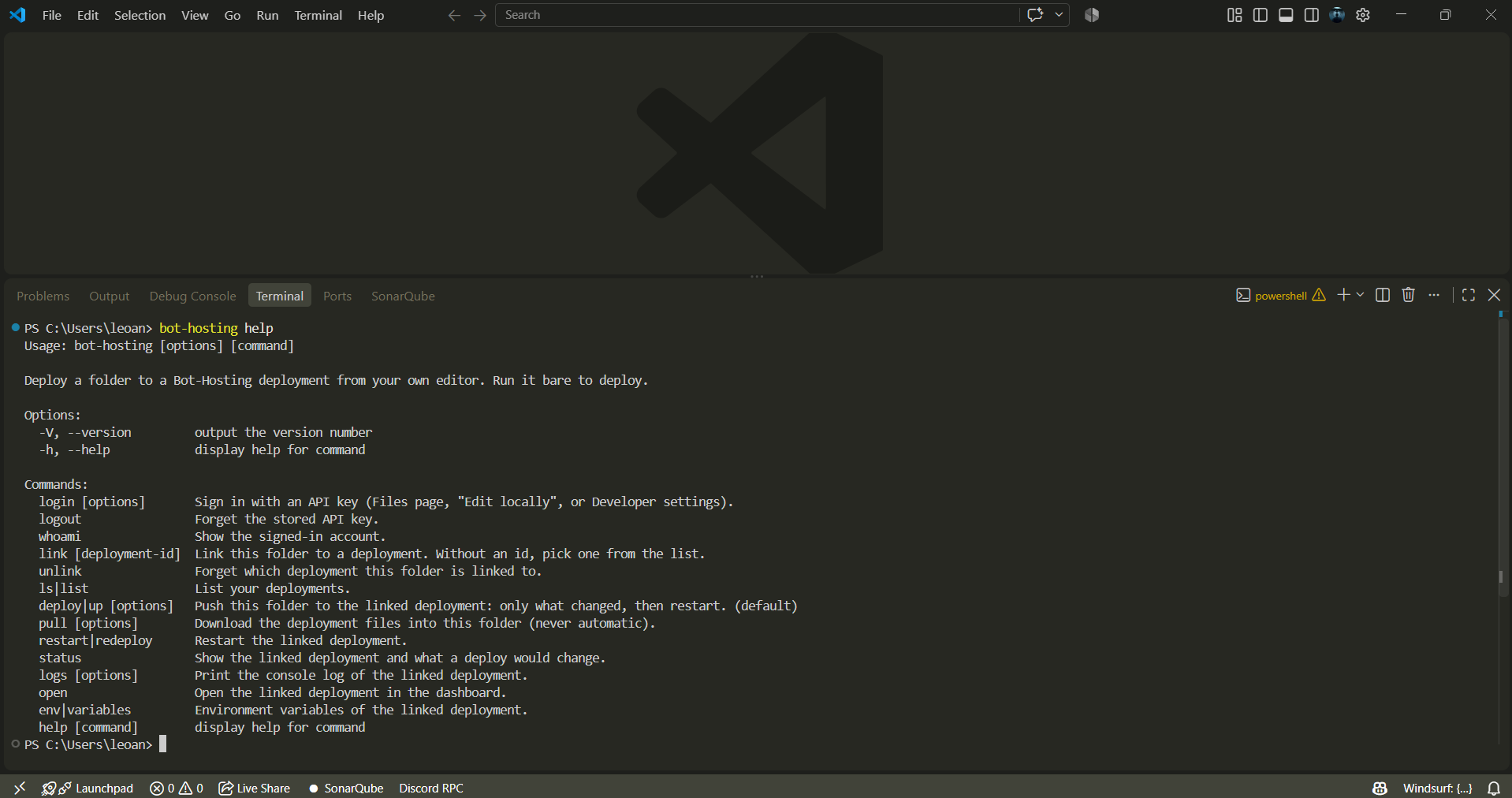
Every command
| Command | Does |
|---|---|
bh login, bh logout, bh whoami | Sign in with a key, sign out, show who you are |
bh link [id], bh unlink | Link this folder to a deployment, or forget it |
bh deploy (also bh up, or just bh) | Upload what changed, remove what you deleted, restart |
bh deploy --watch | Same, after every save |
bh deploy --dry-run, bh status | See what a deploy would change |
bh pull [--force] | Download the deployment’s files into this folder |
bh logs [-n 100] [-f] | Console log, optionally followed |
bh restart | Restart the deployment |
bh ls, bh open | List your deployments, open this one in the dashboard |
bh env ls / add / rm / pull | Environment variables |
Mistype a command and the CLI tells you what it thinks you meant.
How it works under the hood
A deploy is five requests to the Bot-Hosting API, the same API the dashboard and the MCP server use, with the same permissions and rate limits.
- The CLI hashes every local file (XXH64, a few milliseconds for a thousand files) and asks the API for the deployment’s own index: every file with its hash, computed on the node in a single pass.
- Files whose hash differs go into one small archive. The API hands the CLI a signed, single-use upload URL, and the archive goes straight to the node that hosts your deployment, never through the panel, so there is no size cap and no bandwidth in the middle.
- The node unpacks it. Every file is written to a temporary name and renamed into place, so your running bot never reads a half-written file, and the archive is removed in the same step.
- Files you deleted are removed, along with any folder that becomes empty because of it.
- The deployment restarts, and the CLI reports whether the process came back. If it did not, you get the same explanation the dashboard would give, and
bh logshas the details.
Nothing runs on the server between deploys. No agent, no watcher, no extra RAM taken from your plan.
Rather have the AI in your editor deploy for you? The same account plugs into Cursor and VS Code through the MCP server, with one click and no key: see how to connect Cursor or connect VS Code.
If something looks off
Not signed in: runbh loginon this machine. Keys are stored per computer.Invalid or revoked API key: the key was revoked, or you are signed in to the wrong panel. The CLI targetshttps://bot-hosting.netby default; another panel needsbh login --url <panel>.differs from the deploymenton pull: you edited a file locally that also changed on the server. Decide which version wins, thenbh pull --forceorbh deploy.The process did not come up within 30 secondsafter a deploy: the bot crashed on start.bh logsshows the last lines, usually a missing file or a syntax error.- Too many files to index: the deployment holds a huge folder, probably dependencies that were uploaded by hand. Add it to
.bothostingignoreand try again.
Wrapping up
Install once, link once, then bh deploy --watch and forget about uploads. Your editor stays yours, your bot’s data stays on the server, and every deploy is a diff, not a copy.
The CLI is on npm as bot-hosting. The Open in IDE button in the Files tab of any deployment has the three commands ready to copy, and a key one click away.