
Lunar Music (with Discord VC Activity)
Discord music bot with Activity, slash & prefix commands. Nodelink, Lavalink, Moonlink.js, Discord.js.

About
README.md
Contents
Lunar music





a discord music bot that plays from youtube, spotify, soundcloud, deezer, apple music, tidal, and more. built with discord.js and moonlink.js.
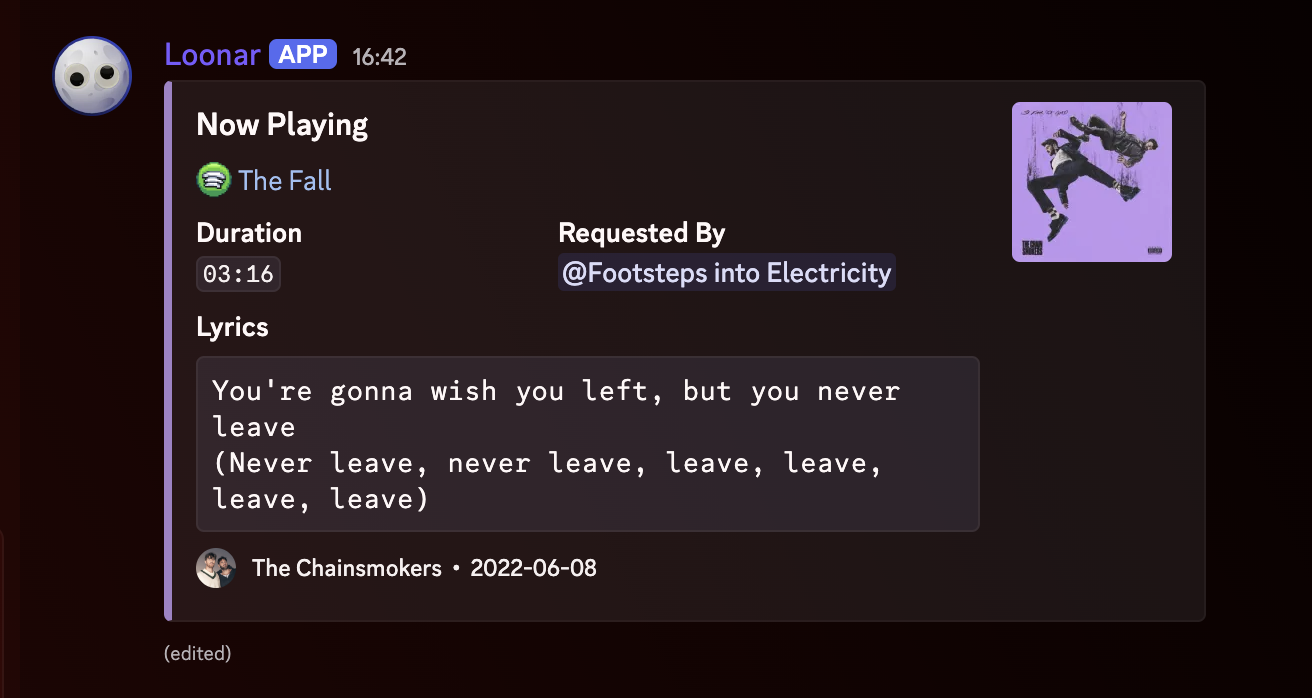
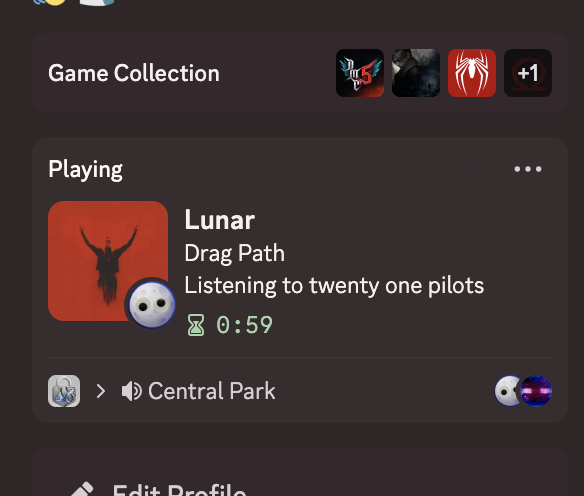
uses NodeLink/Lavalink for audio streaming - you have to host or supply the bot with a node yourself.
Bot's recommended for small/private instances (around 10 active servers). If you plan to scale beyond that, you'll need to modify the source code yourself to handle sharding and larger scale workloads.
Features
- multi-platform search - youtube, youtube music, soundcloud (default), spotify, deezer, apple music, tidal
- synced lyrics - synced lyrics powered by lrclib
- custom branding - customizable bot name & dynamic embed footer branding via
.env - audio effects - nightcore, vaporwave, tremolo, vibrato, rotation, lowpass, echo, karaoke
- queue management - paginated queue, loop (track/queue), skip, previous, back, clear
- now playing - embed with artwork, dominant color theming, duration, up next, artist info
- play stats - per-server and global leaderboards for most played tracks
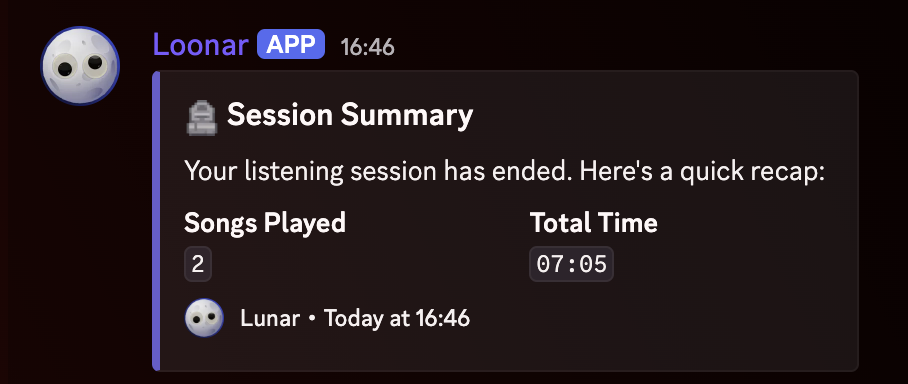
- session summary - recap of songs played and total time when a session ends
- playback recovery - automatic stall detection and reconnection
- process supervisor - built-in child process launcher with crash detection, file logging, and restart rate limits
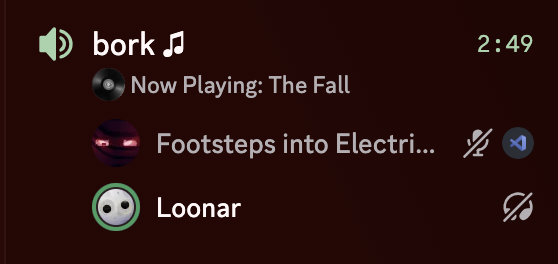
- voice channel status - shows the current track in the voice channel status bar
Setup

what you need
- node.js v20 or higher
- a discord bot token (create one here)
- a NodeLink/Lavalink node
install
git clone https://github.com/relentiousdragon/lunar-music.git
cd lunar-music
npm install
configure
copy the example env file and fill in your values:
cp .env.example .env
open .env and add:
| variable | description | required |
|---|---|---|
DISCORD_TOKEN |
your bot token | yes |
DISCORD_APPLICATION_ID |
optional application ID; otherwise fetched from the bot | no |
DEV_USER_IDS |
comma-separated Discord user IDs allowed to use l.sr |
no |
NODELINK_NODES |
nodelink/lavalink config (see format below) | yes |
SPOTIFY_CLIENT_ID |
optional Spotify Web API client ID | no |
SPOTIFY_CLIENT_SECRET |
optional Spotify Web API client secret | no |
SPOTIFY_ACCESS_TOKEN |
optional Spotify access token | no |
BOT_NAME |
bot branding shown in embeds and Moonlink connector | no |
LOG_FORMAT |
console log format: pretty (default) or json |
no |
DISCORD_GUILD_ID |
optional guild ID for slash-command registration | no |
BOT_PREFIXES |
command prefixes, comma-separated (default: ln.,l.) |
no |
SYNCED_LYRICS_ENABLED |
enable/disable synced lyrics (default: true) |
no |
MAX_SYNCED_LYRICS_PLAYERS |
max concurrent lyrics players (default: 5, max: 20) |
no |
ACTIVITY_ENABLED |
enable the embedded Discord Activity server | no |
ACTIVITY_DISCORD_CLIENT_ID |
Discord application ID used by the Activity | Activity |
ACTIVITY_DISCORD_CLIENT_SECRET |
OAuth2 client secret for server-side Activity auth | Activity |
ACTIVITY_REDIRECT_URI |
registered OAuth2 redirect URI | Activity |
ACTIVITY_PORT |
single HTTPS/WSS Activity port (default: 3001) |
Activity |
ACTIVITY_TLS_KEY_PATH |
TLS certificate key path when hosting HTTPS yourself | Activity |
ACTIVITY_TLS_CERT_PATH |
TLS certificate path when hosting HTTPS yourself | Activity |
node format:
identifier,host,port,password,secure
examples:
# single node
NODELINK_NODES=main,nodelink.example.com,3000,youshallnotpass,false

# multiple nodes (semicolon-separated)
NODELINK_NODES=main,nodelink.example.com,3000,password,false;backup,nodelink2.example.com,3000,password,false
Discord Activity setup
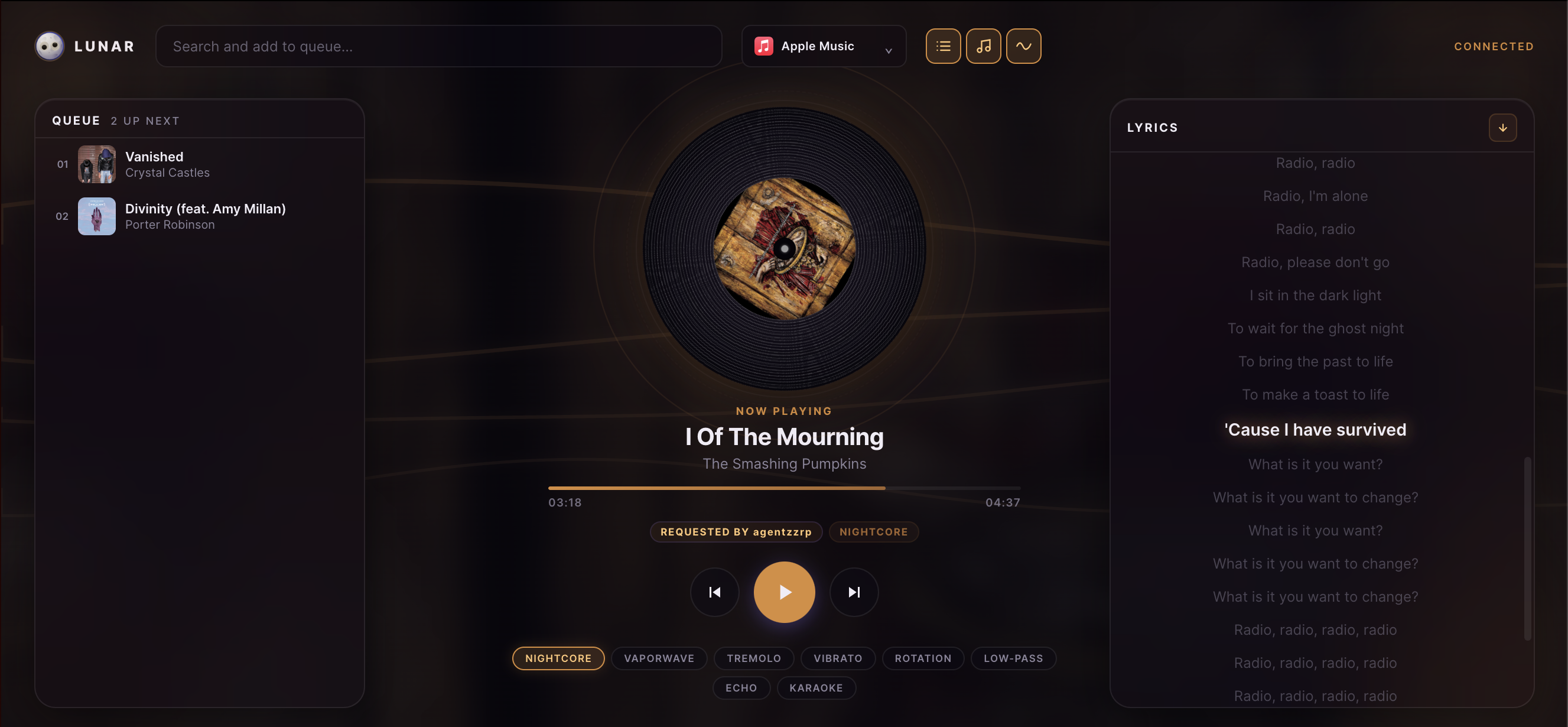
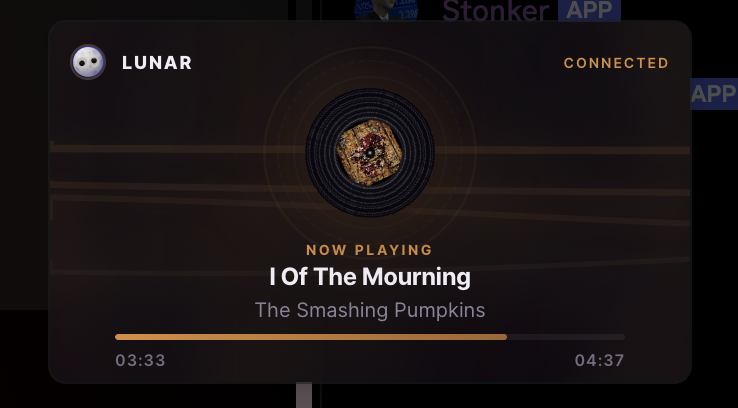
The optional Lunar Activity to control music, has a miniplayer, better synced lyrics, visualizer and some other cool stuff.
- In the Discord Developer Portal for your APP, enable Activities and enable the platforms you want to test.
- Under OAuth2, add the exact redirect URI used by
ACTIVITY_REDIRECT_URI(for example,https://127.0.0.1). - Give the Activity a public HTTPS hostname you control, then add it under Activities -> URL Mappings. Map
/to that hostname without a protocol. Discord proxies both the web app and WebSocket connection. - Either point
ACTIVITY_TLS_KEY_PATHandACTIVITY_TLS_CERT_PATHat the TLS key and certificate when the bot hosts HTTPS itself, or use a TLS-terminating reverse proxy/tunnel such as Cloudflare Tunnel. With a local Cloudflare Tunnel, setACTIVITY_ALLOW_INSECURE_LOCAL=true, Cloudflare supplies public HTTPS/WSS and forwards it privately to local HTTP/WS. - The Activity automatically detects the text channel to use for now-playing embeds based on the voice channel's category. No manual configuration is needed.
For local development only, set ACTIVITY_ALLOW_INSECURE_LOCAL=true; it binds to 127.0.0.1, so use a secure tunnel such as Cloudflare Tunnel and map the resulting HTTPS hostname in the Developer Portal.
run
npm start
for development with auto-restart on file changes:
npm run dev
Commmands
Commands are available through both Discord slash commands and the configured prefix (default: l. or ln.). Set DISCORD_GUILD_ID while developing to register slash commands to one guild immediately; omit it for global registration.
playback
| command | aliases | description |
|---|---|---|
play [query/url] |
p |
play a song or playlist |
skip |
s |
skip the current track |
back |
b |
play the previous track |
previous |
pv |
view play history |
seek [time] |
sek, jump, goto |
jump to a position (e.g. 1:30) |
pause |
ps |
pause playback |
resume |
rs, unpause |
resume playback |
stop |
st |
stop playback and leave |
loop [mode] |
r, rp, repeat |
cycle: off → track → queue |
queue
| command | aliases | description |
|---|---|---|
queue [page] |
q |
view the queue |
clear |
skipall, sa, cq |
clear the queue and stop |
effects
| command | aliases | description |
|---|---|---|
nightcore |
nc |
speed up + pitch up |
vaporwave |
vw |
slow down + pitch down |
tremolo |
- | amplitude modulation |
vibrato |
- | frequency modulation |
rotation |
- | 8d audio effect |
lowpass |
- | muffle high frequencies |
echo |
- | echo effect |
karaoke |
kr |
vocal removal |
stats
| command | aliases | description |
|---|---|---|
top |
- | server's most played songs |
global |
- | most played across all servers |
search flags
use these with the play command to search on a specific platform:
| flag | platform |
|---|---|
--yt / --youtube |
youtube |
--ytm / --youtube-music |
youtube music |
--sp / --spotify |
spotify |
--sc / --soundcloud |
soundcloud |
--dz / --deezer |
deezer |
--am / --apple |
apple music |
--td / --tidal |
tidal |
--sr / --show-results |
show top 5 results to pick from |
other
| command | aliases | description |
|---|---|---|
help |
h |
show all commands |
restart |
fix |
restart the player (fixes connection issues) |
sr |
- | restart the bot child process |
credits |
- | show project credits and GitHub repository |
structure
lunar-music/
├── assets/                   <- image assets
├── bot.js                    <- process supervisor (crash detection, restarts & logging)
├── src/
│   ├── index.js              <- bot main entry point
│   ├── client.js             <- discord client
│   ├── manager.js            <- moonlink manager + node config
│   ├── state.js              <- shared runtime state
│   ├── events/
│   │   ├── ready.js           <- startup, presence, watchdog
│   │   ├── messageCreate.js   <- command routing
│   │   └── voiceStateUpdate.js
│   ├── commands/
│   │   ├── play.js
│   │   ├── queue.js
│   │   ├── skip.js            <- skip, previous, back
│   │   ├── playback.js        <- pause, resume, stop, seek, loop, clear, restart
│   │   ├── filters.js         <- all audio effects
│   │   ├── stats.js           <- top, global
│   │   ├── help.js
│   │   └── system.js          <- bot process restart
│   ├── handlers/
│   │   ├── trackStart.js      <- now playing embed
│   │   ├── trackEnd.js        <- session tracking, breaks
│   │   ├── trackError.js
│   │   └── playerEvents.js    <- queue end, stuck, destroy, disconnect
│   └── utils/
│       ├── branding.js        <- bot footer & name helpers
│       ├── embeds.js
│       ├── emojis.js          <- custom emoji registry & permission fallback
│       ├── format.js
│       ├── color.js
│       ├── lyrics.js
│       ├── metadata.js
│       ├── stats.js
│       ├── search.js
│       ├── voice.js
│       └── filters.js
├── .env.example
├── .gitignore
├── package.json
├── LICENSE
└── README.md
notes
- use
source <platform>(or/source) to set a per-server default search source; usesource autoto restore automatic fallback. - process supervisor (
bot.js): the bot runs as a child process managed bybot.js. executingl.srby a configured developer, or encountering an unexpected crash, causesbot.jsto automatically restart the bot child process.restart/fixonly restarts the current guild's player. - crash logging & limits: crash trace logs are automatically written to
logs/error.log. automatic restarts are limited to a maximum of 10 restarts per hour to prevent infinite crash loops. - synced lyrics are powered by lrclib.net - a free, open-source lyrics api. the
MAX_SYNCED_LYRICS_PLAYERSsetting limits how many guilds can have live lyrics at the same time to avoid hitting rate limits. - the bot takes a 60-second connection break every hour of continuous playback to keep the audio stream stable.
- if the player gets stuck, the watchdog will automatically detect it and try to recover.
License
Variables
You fill these in when you deploy. They become environment variables of your deployment.
DISCORD_TOKENDiscord Bot Token https://discord.com/developers/applications required, secretDISCORD_APPLICATION_IDDiscord Bot ID https://discord.com/developers/applications optionalDEV_USER_IDSDiscord User IDs of Developers users who can restart the bot's child process, separate with comma optionalDISCORD_GUILD_IDDiscord Server ID Use to only register commands to a specific guild optionalNODELINK_NODESLavalink/Nodelink Node(s) can use lavalink too | add as many nodes as you want - gets read on startup | format: identifier,host,port,password,secure (true/false) | ex: main,nodelink.exampl required
How to deploy it
- 1 Open the deploy pageName your deployment. You sign in when you confirm.
- 2 Fill in its variablesThe values the template asks for, stored as environment variables of your deployment.
- 3 Check your resourcesIt draws from your plan's shared pool, then launches. Every account starts free.